The AI money manager for individuals and sole proprietors.
Track income and expenses, create budgets, manage personal and business cash flow, and get ready for tax time. Koody automatically categorizes transactions, creates profit and loss reports, and exports clean, accountant-ready records.


Built for how you actually handle money.
From the first account you add to the numbers you hand your accountant, here's what Koody does differently.
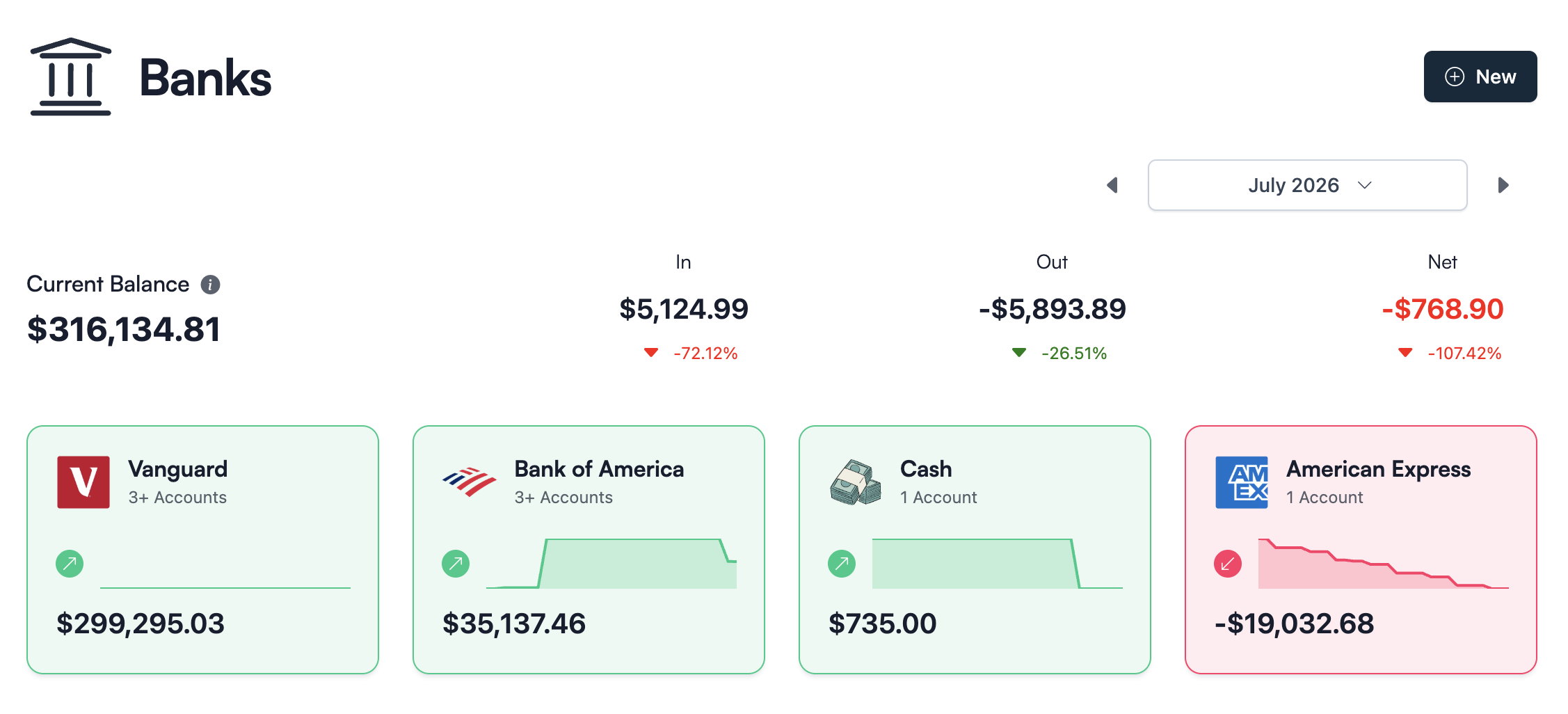
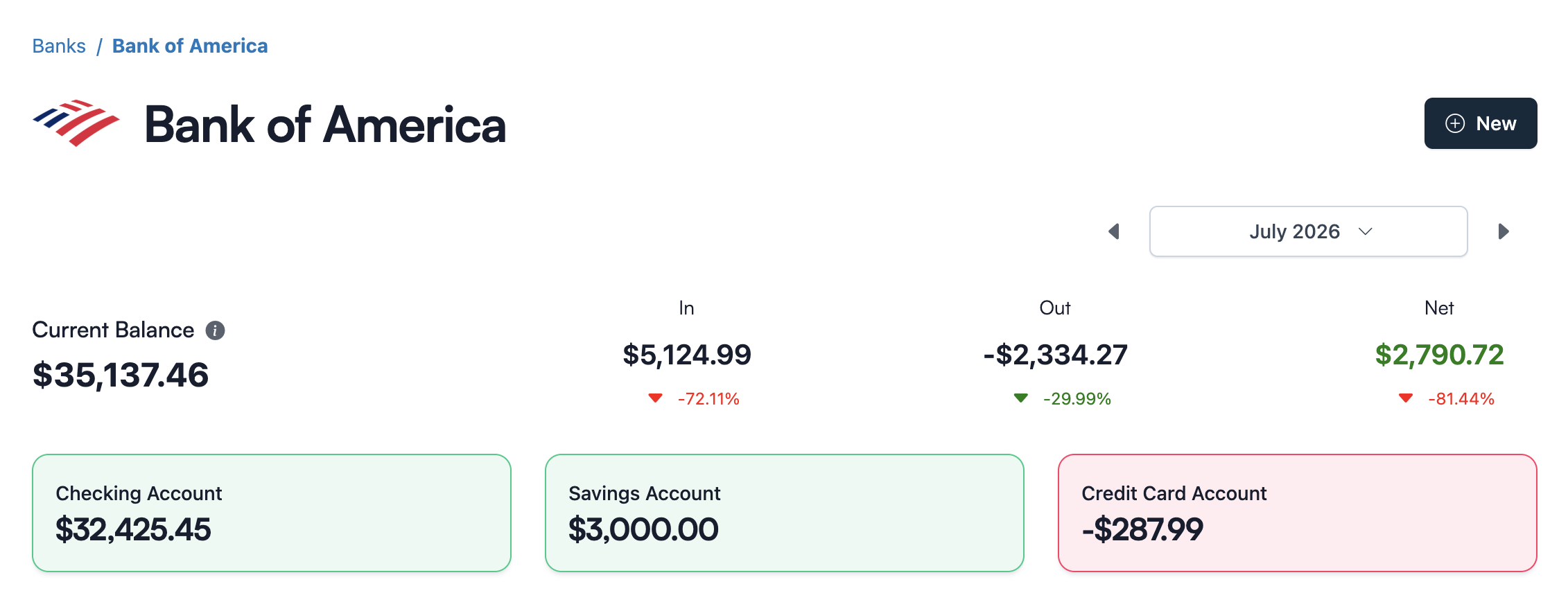
Every account, every dollar, in view.
Add checking, savings, credit cards, cash, and crypto. Koody shows what came in, what went out, and what is due next. If a bank does not sync with finance apps, nothing breaks, because Koody does not need a live bank connection to work.
- Add accounts in about 30 seconds each.
- No bank credentials stored.
- Export your data any time.
Know where you stand before the month ends.
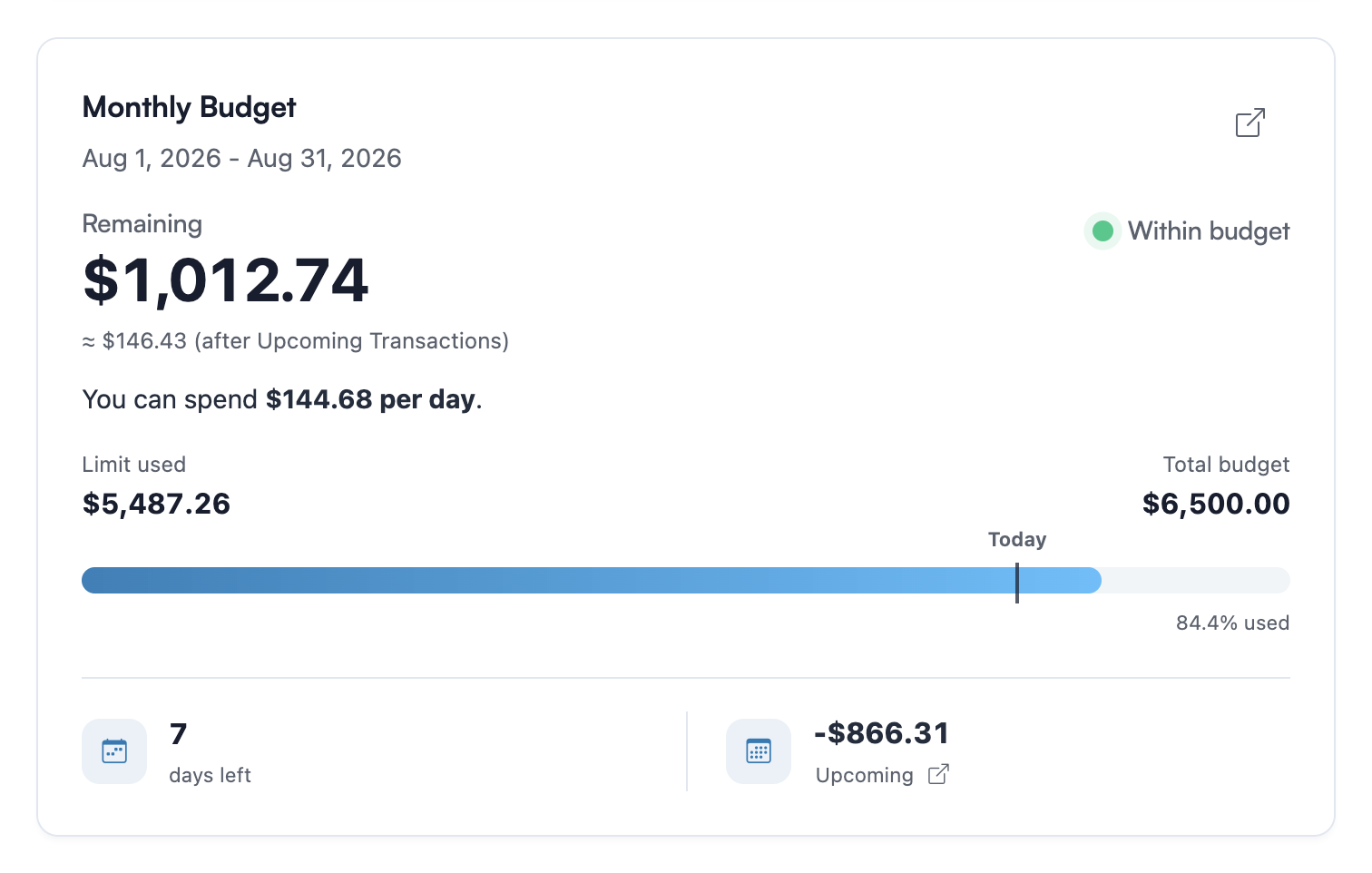
Import transactions and let Koody auto-categorize them. Set limits for groceries, bills, rent, subscriptions, or anything else you track. You can see which categories are filling up, which ones have room left, and what needs a closer look.
- Income, expenses, subscriptions, and upcoming bills in one view.
- Budgets that match your pay schedule: weekly, biweekly, or monthly.
- Ask Koody AI about your money in plain English.

Ask for a budget. Get one in seconds.
Type 'create a monthly budget' and Koody AI builds one from your real spending. Planning a trip? Give it a total and it splits the categories for you. Then keep asking how you're doing this month, which subscriptions hit in the next two weeks, and which single cut would keep you on budget.
- Create monthly, weekly, payday, 50/30/20, or one-time budgets.
- Ask about your biggest transactions, grocery months, subscriptions, or cash flow.
- Use AI to adjust budgets, split transactions, or fix an import.
Six months behind? Catch up in an afternoon.
Download statements from your bank, drop them into Koody, and watch Koody AI sort months of transactions into useful categories. No retyping, no color-coded spreadsheet surgery at midnight. Your history stays put, and stays yours to export any time.
- Import bank and credit card statement PDFs.
- Bring in CSVs from banks, cards, old apps, or spreadsheets.
- Koody cleans descriptions, auto-categorizes transactions, and checks for duplicates.

Your month, week by week.
Koody shows money in and money out by week, so payday, rent week, bill week, and slow weeks are easier to spot. Key Signals show the merchants and income sources shaping the month.
- Weekly money in and money out, side by side.
- See the merchants taking the most money out.
- Spot the heavy week before it becomes a heavy month.

Find out what changed in your spending.
Koody is a free AI budgeting app that helps you explore your spending in plain English. Ask about a merchant, compare months, or look more closely at the transactions behind a total.
- Compare spending across months and merchants.
- See the purchases behind a change in your totals.
- Ask follow-up questions in plain English.

Business categories, built in.
Automatically categorize business income and expenses for simpler bookkeeping and tax preparation. From freelance income to contract labor and rent, track cash flow by category and keep your books organized throughout the year.
- Revenue, contract labor, rent, owner draw, taxes, licenses, and more.
- Use built-in business categories or add your own.
- See what came in and what went out by category.

Keep tax money in the picture.
Getting paid is only part of the picture. Mark taxable income, choose how much to set aside, and see what remains after your tax set-asides.
- Track set-asides alongside your income.
- See the transactions behind the total.
- Keep your records ready for tax time.

Create profit and loss reports from your bank transactions.
Give your business finances a dedicated workspace. Turn categorized transactions into a clear view of revenue, expenses, and profit, then compare years to see how your business is doing. Manage business finances on their own or alongside your personal money, with reports and Schedule C preparation together.
- Split personal and business spending from the same transaction.
- Snap receipts or attach files to the matching expense.
- Export transactions or share them with your accountant.

Turn business transactions into Schedule C records.
Koody for Business brings categorized income and expenses into a Schedule C preparation worksheet for sole proprietors. Spend less time gathering figures at tax time, with your bookkeeping, reports, and supporting records together in one app.
- Business income and expenses organized for Schedule C.
- Keep receipts and invoices with the matching transactions.
- Export your worksheet and reports for your accountant.

Watch a statement become a budget.
One statement in, every transaction categorized. Ready for budgets, P&L reports, and tax time.
Import your bank transactions, then create a budget in Koody.
Rated 4.5 on the App Store
Built for people who want a clean place to manage cash flow and plan for the future.
Pricing
Upgrade when you want longer history, exports, statement imports with auto-categorization, or business reports.
Free
Track money by hand, calculate your tax set-aside, and talk to Koody AI.
- Input transactions manually
- Add bank accounts
- Track spending and income (up to 1 year)
- Categorize transactions
- Monitor subscriptions or bills
- Koody AI
- Upload receipts
- Calculate your tax set-aside
- Access on mobile and desktop
Standard
Budgets that match your paydays, longer history, and exports.
- Everything in Free
- Track spending and income (up to 3 years)
- Add new categories
- Auto-generate recurring transactions
- Export transactions (CSV, Excel, JSON)
- Create and manage budgets
- Sync budgets with your payday
- Create recurring budgets
Plus
Statement imports, auto-categorization, unlimited history, and business reports.
- Everything in Standard
- Import transactions from bank and credit card statements (CSV or PDF)
- Track spending and income (unlimited years)
- Automatic transaction categorization
- Business reports, including P&L
- Unlimited categories
- Automatic detection of recurring transactions
- Advanced Koody AI
Frequently asked questions
Can I use Koody outside the United States?
Koody’s tax-prep suite is exclusively for people in the United States. Our transaction import and auto-categorization features work best for customers in the United States, the United Kingdom, Canada, and Australia. If you live elsewhere, you’re still welcome to use Koody’s other features, including budgeting, expense tracking, and cash flow management.
Can I budget without linking my bank account?
Yes, Koody is a free AI budgeting app that lets you set budgets, track spending, categorize expenses, set savings goals, and upload receipts without connecting a bank account. It's a great choice if you want the benefits of a modern budgeting app without linking your bank accounts.
Can I import data from multiple financial institutions?
Yes. You can import statements from multiple banks and cards into Koody. Each time you import, you choose the Koody account the file should go into, so your transaction history stays organized across institutions.
Can I import PDF bank statements and CSV files into Koody?
Yes. Koody imports bank and credit card statement PDFs, along with transaction CSV files from banks, cards, spreadsheets, and other budgeting apps. Choose the matching Koody account, upload the file, and Koody will organize and auto-categorize the transactions.
Does Koody support tax tracking for income?
Yes. When you add income, you can mark it as taxable, choose a tax rate and due date, and Koody will calculate and track a tax set-aside based on that rate. Koody does not calculate your tax liability.
Can I send a transaction export to my accountant?
Yes. In the Export window on the Transactions tab, choose your date range and formats, and click Send to Accountant.
If I accidentally import the same transactions as last time, will I get duplicates?
Koody checks new imports against transactions you previously imported and skips duplicates. That means you can safely import on a schedule without worrying that the same bank CSV will double-count your history. This duplicate protection compares new imports with previous imports. If you manually entered a transaction that also exists in your CSV, that can still create a duplicate, so it is worth reviewing after your upload. If you are unsure, you can ask Koody AI to help you spot likely duplicates so you can clean them up quickly.
Is my financial data secure?
Security is our top priority. We use bank-grade encryption and adhere to strict privacy protocols to protect your data. Your information is never shared without your consent, ensuring your financial data remains confidential.
What happens if I cancel my subscription?
If you cancel an active paid subscription, your access to our premium features will continue until the end of your current billing cycle. After that, your account will no longer have access to premium features. You can always come back and reactivate a paid plan later. We'll securely store the data associated with premium features for a limited time in case you decide to return.
Your money, your login, your AI.
Start free. Add your accounts in minutes, and see what Koody AI can tell you about your money by tonight.